Using Session Store
The Session Store API provides thread-scoped key-value storage for managing dynamic data across agent iterations. Session values persist throughout a conversation thread and can be used to store state, share data between agent calls, and attach additional content to user messages.
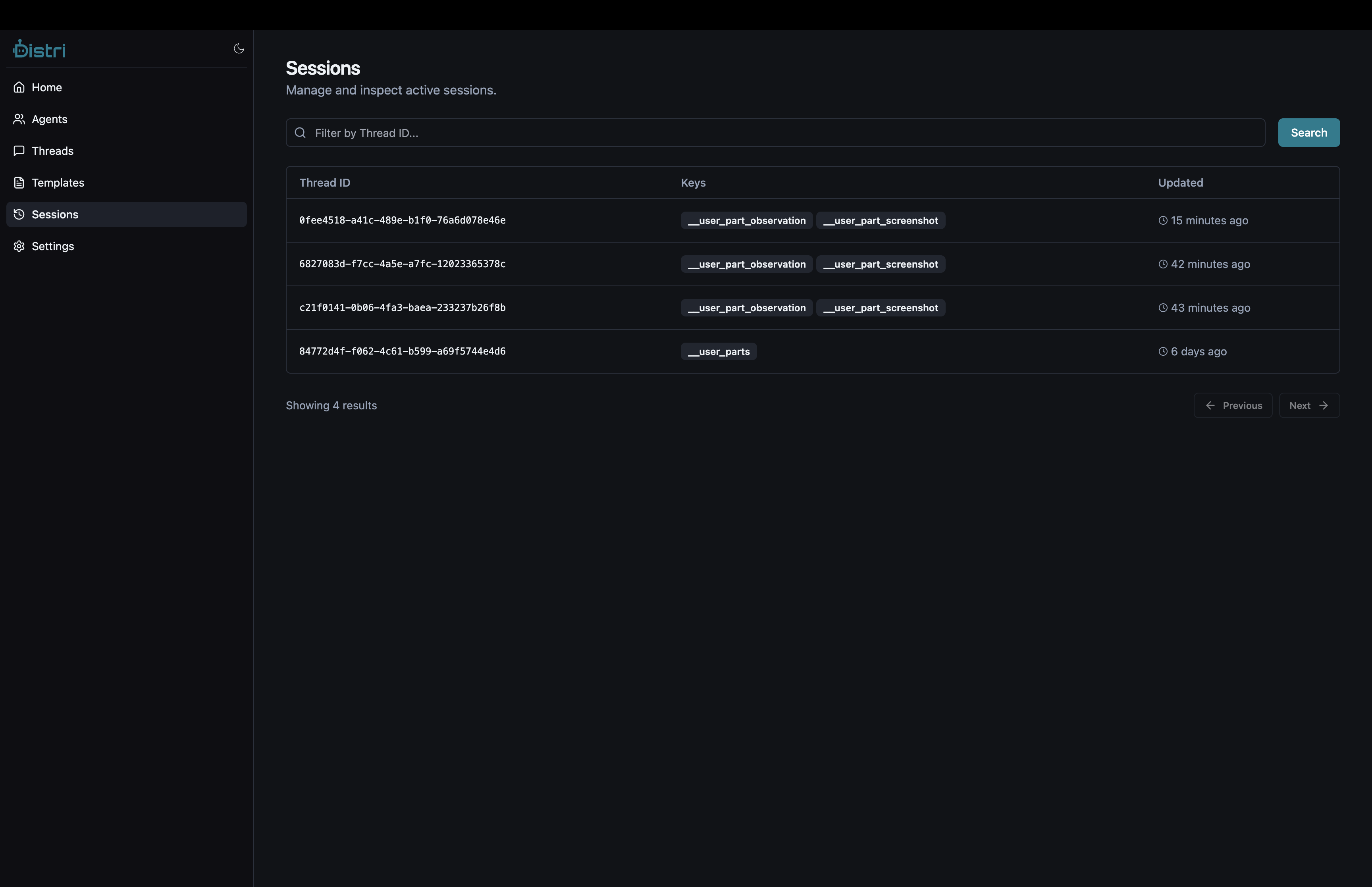
Overview
Session values are scoped to a specific thread ID and can include:
- Regular values: Key-value pairs for storing arbitrary data
- User parts: Special prefixed values (
__user_part_*) that automatically attach to user messages - Expiry: Optional expiration timestamps for temporary data
JavaScript / TypeScript
Using @distri/core
import { Distri } from '@distri/core';

const client = new Distri({
  baseUrl: 'http://localhost:8787/api/v1',
});

const threadId = 'thread-123';

// Set a session value
await client.setSessionValue(
  threadId,
  'user_preference',
  { theme: 'dark', language: 'en' }
);

// Get a single session value
const value = await client.getSessionValue(threadId, 'user_preference');
console.log('User preference:', value);

// Get all session values
const allValues = await client.getSessionValues(threadId);
for (const [key, value] of Object.entries(allValues)) {
  console.log(`${key}:`, value);
}

// Delete a specific key
await client.deleteSessionValue(threadId, 'user_preference');

// Clear all values in a session
await client.clearSession(threadId);
Setting User Parts
User parts automatically attach to user messages when prefixed with __user_part_:
// Set a text user part
await client.setUserPartText(
  threadId,
  'screenshot_description',
  'Screenshot shows the login form with validation errors'
);

// Set an image user part
await client.setUserPartImage(
  threadId,
  'screenshot',
  {
    bytes: base64ImageString,
    mimeType: 'image/png',
    name: 'screenshot.png',
  }
);

// Delete a specific user part
await client.deleteUserPart(threadId, 'screenshot_description');

// Clear all user parts
await client.clearUserParts(threadId);
Session Value Expiry
// Set a value with 24-hour expiry
const expiry = new Date();
expiry.setHours(expiry.getHours() + 24);

await client.setSessionValue(
  threadId,
  'temporary_data',
  { data: 'value' },
  expiry.toISOString()
);
Rust
Using distri crate
use distri::Distri;
use serde_json::json;

#[tokio::main]
async fn main() -> Result<(), Box<dyn std::error::Error>> {
    let client = Distri::from_env();
    let session_id = "thread-123";

    // Set a session value
    client.set_session_value(
        session_id,
        "user_preference",
        json!({ "theme": "dark", "language": "en" }),
        None, // Optional expiry ISO timestamp
    ).await?;

    // Get a single session value
    let value = client.get_session_value(session_id, "user_preference").await?;
    println!("User preference: {:?}", value);

    // Get all session values as a HashMap
    let all_values = client.get_session_values(session_id).await?;
    for (key, value) in all_values {
        println!("{}: {:?}", key, value);
    }

    // Delete a specific key
    client.delete_session_value(session_id, "user_preference").await?;

    // Clear all values in a session
    client.clear_session(session_id).await?;

    Ok(())
}
Setting User Parts
use distri::Distri;
use distri_types::Part;

let client = Distri::from_env();
let session_id = "thread-123";

// Set a named user part (automatically prefixed with __user_part_)
client.set_user_part(
    session_id,
    "observation", // Name for this part
    Part::Text("The user clicked the submit button".to_string()),
).await?;

// Set a text user part (convenience method)
client.set_user_part_text(
    session_id,
    "screenshot_description",
    "Screenshot shows the login form with validation errors",
).await?;

// Set an image user part (with automatic gzip compression)
client.set_user_part_image(
    session_id,
    "screenshot",
    distri_types::FileType::Bytes {
        bytes: base64_image_string,
        mime_type: "image/png".to_string(),
        name: Some("screenshot.png".to_string()),
    },
).await?;

// Delete a specific user part
client.delete_user_part(session_id, "observation").await?;

// Clear all user parts
client.clear_user_parts(session_id).await?;
Session Value Expiry
use chrono::Utc;

let expiry = Utc::now() + chrono::Duration::hours(24);
client.set_session_value(
    session_id,
    "temporary_data",
    json!({ "data": "value" }),
    Some(&expiry.to_rfc3339()),
).await?;
API Endpoints
Set Session Value
POST /api/v1/threads/{thread_id}/session
Content-Type: application/json

{
  "key": "user_preference",
  "value": { "theme": "dark", "language": "en" },
  "expires_at": "2024-12-31T23:59:59Z"  // Optional
}
Get Session Value
GET /api/v1/threads/{thread_id}/session/{key}
Get All Session Values
GET /api/v1/threads/{thread_id}/session
Delete Session Value
DELETE /api/v1/threads/{thread_id}/session/{key}
Clear Session
DELETE /api/v1/threads/{thread_id}/session
Set User Part
POST /api/v1/threads/{thread_id}/session
Content-Type: application/json

{
  "key": "__user_part_screenshot",
  "value": {
    "part_type": "image_url",
    "image_url": {
      "url": "data:image/png;base64,..."
    }
  }
}
Transient Parts (save: false)
Some data should be included in agent context but not persisted permanently. Use the __metadata: { save: false } flag on message parts to keep them transient:
// This observation is included in context but not saved to the thread
const observationPart: DistriPart = {
  part_type: 'data',
  data: {
    screenshot: base64ImageString,
    page_url: 'https://example.com',
    dom_state: extractedDomText,
  },
  __metadata: { save: false },
};
Without save: false, every tool response is persisted to the thread. For multi-step agents (e.g., browser automation with 30+ steps), this quickly fills the context window. Mark ephemeral parts as save: false to keep only what the agent needs right now.
Dynamic Context with getMetadata
The getMetadata callback on the Chat component lets you inject fresh context into every message. This is useful for passing application state that changes between agent turns:
import { Chat, useAgent } from '@distri/react';

function LessonChat({ lessonId, currentPage, questions, answers }) {
  const { agent } = useAgent({ agentIdOrDef: 'teaching-assistant' });
  if (!agent) return null;

  return (
    <Chat
      threadId={`lesson:${lessonId}:page:${currentPage}`}
      agent={agent}
      getMetadata={async () => ({
        dynamic_sections: {
          lesson_context: `Page ${currentPage} of lesson ${lessonId}`,
          current_questions: JSON.stringify(questions),
          student_answers: JSON.stringify(answers),
        },
      })}
    />
  );
}
The dynamic_sections are injected into the agent's system prompt as additional context, updated before each message is sent.
Use Cases
| Use Case | Description |
|---|---|
| Browser Automation | Store screenshots, DOM observations, and user interactions |
| State Management | Maintain conversation context and user preferences |
| Tool Integration | Share data between external tools and agent iterations |
| Multi-step Workflows | Persist intermediate results across agent calls |
| Rich User Input | Attach images, observations, and structured data to user messages |